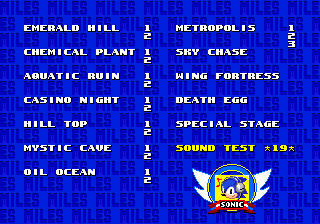
The Level Select menu, from Sonic the Hedgehog 2. The menu design is later reused in Sonic the Hedgehog 3 and Sonic & Knuckles.
Level Select, also referred to as Stage Select, Zone Select, Act Select or World Map, is a menu in the video games of the Sonic the Hedgehog series. When accessing the Level Select screen, it can give the player access features such as Zones, Acts, Special Stages, Bonus Stages and multiplayer exclusive levels. In older games, the Level Select menu gives access to the Sound Test feature and can also be used to activate other hidden features, such as Debug Mode.
Level Select was a hidden feature in the earlier instalments and spin-off titles of Sonic the Hedgehog series, usually accessed by a cheat code. Since the Dreamcast era, Level Select has become a much more regular menu feature. These Level Select menus only tend to show a map or a list of Zones/stages that the player has already cleared.
Game appearances
Sonic the Hedgehog (1991)
The Level Select made its debut as a hidden feature in the 16-bit version of Sonic the Hedgehog (1991). Here, it is presented as a black screen with the game's title card as a grayscale image in the center of the screen while the Zones (including the Special Stage) and the Sound Test (called the Sound Select) are featured in a list. Oddly, the Level Select refers an "Act" as a "Stage".
To access it, the player must press the following: 


 , then a Ring chime can be heard. Hold
  and press Start to enter Level Select menu. In the Japanese version of the game though, the player must press instead.
In the 2013 remaster of the game, the player can now choose any Zone to start the game from (at Act 1 of the selected Zone) when selecting a completed file (in a similar manner as Sonic the Hedgehog 3 and Sonic 3 & Knuckles). This menu can also be accessed if the player 'clears' Final Zone by using a Capsule or a Goal Plate placed with Debug Mode.
The remaster also features the 'traditional hidden' Level Select where its menu design exactly resembles the format used in the following main series sequels (Sonic the Hedgehog 2, Sonic the Hedgehog 3, etc.). There is also a touchable  and a "GO" button to navigate around the menu and confirm selections respectively. To access it, the player has to start the game in "No Save Mode". The player must do one of the following prompts:
- Touchscreen controls: On the Sega screen, the player has to tap the letters S-E-G-A in that exact order (a Ring sound plays if the player is successful). The player then has to have two fingers on the screen and wait until the title screen appears, which will redirected to the Level Select menu.
- Controller: At the title screen, press (to hear a Ring chime) can be heard. Then press and hold a varying combination of buttons depending on the controller (hold
 and press Menu on an Xbox Wireless Controller, hold
  and press Options on a Dualshock 4).
In the Sonic Origins release, the same method from the Genesis version is used to access the Level Select, although it still resembles that of the 2013 remaster. There are Game Config options aside from selecting levels and the Sound Test:
| Option name | Description |
|---|---|
| Player | Chooses the playable characters: 00 is Sonic and Tails, 01 is Sonic alone, 02 is Tails alone, 03 is Knuckles alone, 04 is Knuckles and Tails (in the 2013 mobile remaster only) or Amy alone (in the Sonic Origins Plus remaster) and 05 is Amy and Tails (in Sonic Origins Plus only). |
| Spindash | Toggles the ability to use the Spin Dash (like in the Settings Menu in the 2013 remaster) |
| GND SPD Cap | Ground speed cap on/off. "On" simulates the original game where the playable character can only run on-foot (ie. not spinning) at a maximum speed which is much slower than in the remaster. |
| AIR SPD Cap | Air speed cap on/off. "On" simulates the original game; the playable character slows down when moving off the edge of a ledge while running on-foot and the player does not get launched from diagonal springs as far if they are holding / while being launched compared to not holding in any direction.
|
| S1 Spikes | On/off. Toggles the infamous no-invincibility-frame spikes glitch from the original game's initial release. |
| Items | Available options are S1, S2, S1+3, or S2+3. Seems to control what monitors appear. The S2 option changes the Shield's graphics to that of Sonic the Hedgehog 2 instead of the original game. The S1+3 and S2+3 options grants elemental shields (Flame Shield, Aqua Shield and Thunder Shield) in place of the original Shield and allows Sonic to use the Insta-Shield move (in reference to Sonic the Hedgehog 3). |
| Max Emeralds | Toggles between 6 or 7 Chaos Emeralds. Choosing 7 adds a 7th cyan Chaos Emerald, and also allows all playable characters (including Tails) to transform into their Super forms once the player collects all 7 Chaos Emeralds from the Special Stages, gets 50 rings and press jump while in the middle of a jump. Some of the Emeralds also change color when toggling this option to match their modern palette. |
The Sonic Origins version also no longer features the Zone Select menu when prompted to play the game from the game list in 'Origins, and must use the Goal Plate/Capsule placed with Debug Mode to access it.
Sonic the Hedgehog 2
8-bit
In the Game Gear version of Sonic the Hedgehog 2 (8-bit), while the game is booting up, the player has to hold southwest +  +
+  at the same time. From there, the player has to continue holding the buttons and as the title screen appears. When Tails blinks twice for the time on the title screen, the player must press Start while still holding the other three buttons down. The player will then enter the Level Select.
In the Master System version of the game, while the game is booting up, the player has to hold + + on the second controller at the same time. From there, the player has to continue holding the buttons and until the screen turns blue and intro animation starts. With main controller one, the player starts the game to display the Level Select.
16-bit
Sonic the Hedgehog 2 is the first game to feature a new Level Select menu design which was used in subsequent Mega Drive titles where all Zone names (without the word "Zone") are listed along with their Act numbers. The background is colored blue with multiple texts of "Sonic" and "Miles" which alternate. While a Zone is highlighted, the emblem at the bottom right displays an artwork of the said Zone and while the Sound Test is highlighted, the emblem displays an artwork of Sonic with headphones on.
To access the Level Select, the player has to go to the Sound Test in the Options menu and play the following tunes: 19, 65, 09 and 17. The player will then hear Ring chime and must then return to the title screen by pressing start. Here, the player must press Start while holding to enter the Level Select menu.
The Level Select also appears in the '"Simon Wai" prototype of the game where its design resembles that of the original Sonic the Hedgehog. To access it, the player has to simply press Start while holding at the title screen to enter the Level Select menu.
In Knuckles in Sonic 2, the method to access the Level Select is different from the original release of Sonic 2 due to the lack of the Options menu, one must press . After hearing a ring chime (if successful), they must press Start while holding .
In the 2013 remaster of the game, the Zone Select Menu works exactly as it did in the 2013 remaster of the original Sonic the Hedgehog. In addition, the 'traditional hidden' Level Select menu is styled just like the 2013 remaster of the original Sonic the Hedgehog and the Zone list remains the same as the original Sonic 2 apart from the addition of Hidden Palace Zone. In addition, the player can access any Special Stage (including a newly added eighth Special Stage) and an early version of Hidden Palace Zone (though unlisted) by playing a unique combination of tunes from the Sound Test. The Level Select accessed in the same way as in the 2013 remaster of the original Sonic the Hedgehog.
In Sonic Origins, the Options menu is removed, therefore making access to both the Level Select and the Sound Test different than before, which is now based on the Level Select code seen in Knuckles in Sonic 2. To access it, one must press . A Ring chime will sound if successful. Then, they should press  /
/ /
/ to enter the Level Select menu. The Zone Select Menu is also removed in the Origins version.
Sonic the Hedgehog CD
In Sonic the Hedgehog CD, the Level Select is renamed as the Stage Select. Its menu display is simply a white screen with light blue outlines resembling clouds. The Stage Select now only shows one stage at a time but there are three digits which determine the stage; the first digit determines the Round number, the second determines the Zone number and the third determines the timeline of that Zone ("A" is the present, "B" is the past, "C" is the good future and "D" is the bad future). For example, "1-1-A" corresponds to Palmtree Panic Zone 1 in the present timeline.
To access it, while at the title screen, the player has to press then hold  to enter the Stage Select. In the Windows 95 version, it is accessed with the same directional inputs but with [SPACE] instead of .
In the 2011 remaster, the Stage Select is accessible from the Extras Menu after clearing Special Stage's Time Attack with a combined time under five minutes. If the player enters Stage Select after selecting a saved game file then finishing the game or quitting to return to the main menu, they will enter gameplay with the chosen character, life count, score and the number of Time Stones carried over from that previous session. The "game data transfer" is also applicable when quitting out of gameplay that was commenced from using Stage Select to return to the main menu, then using Stage Select to commence gameplay again. This feature was removed in Sonic Origins, presumably because of the different save file system implemented across all games.
Sonic Spinball (16-bit)
While the Level Select menu does not technically exist in Sonic Spinball, the player can skip to one of three later levels through a similar code. To do this, the player has to go to the options menu and press  in that order. A small chime can then be heard and the player must return to the title screen. At the title screen, holding will take the player to Lava Powerhouse, holding will take the player to The Machine, and holding will take the player to the Showdown.
Sonic Chaos
In the Game Gear version of Sonic Chaos, when the player enters the title screen with the text "Press Start Button" appearing, press Start in that order to enter the Level Select screen.
In the Master System version of the game, similarly to the Game Gear version, when the player enters the title screen with the text "Press Start Button", press / in that order to enter the Level Select screen.
Sonic 3 & Knuckles
When completing Sonic the Hedgehog 3 or Sonic 3 & Knuckles on a save file, the player can now choose to start from any Zone (from Act of that selected Zone) by pressing or to cycle through the list.
The traditional hidden Level Select is featured in Sonic the Hedgehog 3, Sonic & Knuckles and Sonic 3 & Knuckles, which reuses the same menu design from the Level Select in the 16-bit version of Sonic the Hedgehog 2. Below Angel Island Zone, there is a number that represents the character or characters that the player is currently using; 00 means Sonic and Tails, 01 means Sonic alone, 02 means Tails alone and 03 means Knuckles. In the Level Select of Sonic the Hedgehog 3 though, it lists three zones not present in the game: Flying Battery Zone, Mushroom Valley Zone (Mushroom Hill Zone's name from the Sonic the Hedgehog 3 November 1993 Prototype) and Sandopolis Zone and the artwork of the Zones appears to have been reused from Zones in Sonic the Hedgehog 2. To access it, when the Sega screen starts turning black in the beginning of the game, the player has to quickly press before Sonic smashes the Sega logo on the title screen. After completing the code correctly, the player hears a Ring chime and the "Sound Test" option will appear on the title screen. Selecting it will take the player to the Level Select menu.
In Sonic & Knuckles, the Level Select contains all Zones from Sonic the Hedgehog 3 in addition to its own Zones; however, selecting any of the Sonic 3 Zones will instead start the game from the beginning (at Mushroom Hill Zone). To access it, the player has to find one of the manual elevators in Mushroom Hill Zone. After Sonic or Knuckles hangs onto the handle of a manual elevator, the player has to press , then the Ring chime can be heard. From this point on, the player can now press Start + to return to the title screen. There, the player must hold + Start after choosing a playable character.
In Sonic 3 & Knuckles, the player has to find one of the swinging ropes with handles in Angel Island Zone. After making the playable character hang onto it, the player has to press and the Ring chime can be heard. From this point on, the player can now press Start + to return to the title screen. The player can return to the title screen this way where the "Sound Test" option will appear as the third choice on the title screen. Selecting it will take the player back to the Level Select menu.
The Level Select menu is vastly updated in the Sonic Origins release. It is accessed in the same way as with the original Sonic the Hedgehog 3, but the player can input the sequence at any point the "Press Button" prompt appears. This version of the Level Select menu includes proper name for the zones, better organization of the acts, preview icons for the Sonic & Knuckles zones (alongside proper artwork for the Sonic 3 zones instead of reusing the ones from Sonic 2), and modifying how the player character is selected. All multiplayer zones, both of the Blue Sphere modes, and the Gumball Machine Bonus Stage has also been re-added, being removed from the original game's level select menu . It also prohibits the player from accessing certain zones not designated for the selected character without Debug Mode, such as entering Death Egg Zone as Knuckles.
Sonic Triple Trouble
In Sonic the Hedgehog Triple Trouble, while the game is powering up on the Sega Game Gear, the player has to hold until Knuckles gets the third Chaos Emerald in the intro cinematic. At this point, the player has to press the Start button which give off the Ring chime. At the title screen, the player must then select a character, which then makes the game transition to the Zone Select menu.
Knuckles' Chaotix
In Knuckles' Chaotix, the player must enter the Color Test menu and adjust the six numbers in the top left column. There, the player must set the first row in the MARS column to 06, 0B and 11, and the second row to 04, 00 and 04. The player must then press Start to return to the title screen, where the option "Stage Select" will have appeared on the bottom of the screen. From there, the player can enter the Stage Select.
When playing in a Stage chosen from the Stage Select, if the player pauses the game during gameplay, it is possible to move the playable characters anywhere with . Also, holding // will make them and their Combi partners move faster.
Tails Skypatrol
In Tails Skypatrol, at the title screen, the player has to press + at the same time, and then press Start. This lets the player access the "Secret Options" menu, which contains Level Select, Background Music and Sound Effect tests.
Sonic Labyrinth
In Sonic Labyrinth, after the game logo has appeared on the title screen, the player has to press in that order. The word "Select" then appears and on the option menu, "Sound Test" will have been replaced with "Level Select", which the player can access the Level Select menu through.
Sonic 3D Blast: Flickies' Island
In the Mega Drive version of Sonic 3D Blast, at the title screen, the player has to press , which will take the player to the menu. When starting the game from there, the Level Select menu appears. After choosing the level from the menu, the player can skip to the next Act by pressing Start + .
It has been discovered and explained by the game's developer, Jon Burton, that it is also possible to access a "secret" Stage Select by crashing the game, via glitches, improperly used cheats, or physically tilting the game's cartridge itself.[1] This is due to the game's crash handler redirecting to this screen instead of freezing the game.
In the Saturn version of the game, at the title screen, the player has to press northwest +  +
+  all at the same time. This will activate the "Master Code", which will cause the text "Press Start" on the title screen to stop blinking. While this version of Sonic 3D Blast does not feature a Level Select, the player can when starting a game normally after activating the Master Code and then pausing the game skip to the next Act by pressing or skip to the Zone by pressing
  . When not pressing / during a pause, pressing makes the player skip to the boss of Panic Puppet Zone, pressing
  gives a free extra life, pressing
  gives a free Sonic Medal and pressing
  grants automatically the player all seven Chaos Emeralds.
In the Japanese Saturn version of the game, at the title screen, the player should press three times, then press one of any of the six buttons. The Ring sound effect should also be heard. They should then press Start and enter the menu. Before starting a game, hold down one of the six buttons that corresponds with the Zone the player wishes to enter while pressing Start. Press to go to Rusty Ruin Zone Act 1, to go to Spring Stadium Zone Act 1, to go to Diamond Dust Zone Act 1, to go to Volcano Valley Zone Act 1, to go to Gene Gadget Zone Act 1, or to go to Panic Puppet Zone Act 1.
Sonic Blast
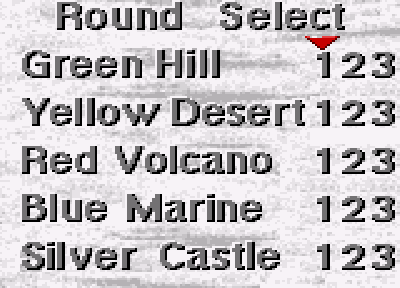
The Round Select, from Sonic Blast.
In Sonic Blast, the Level Select, named Round Select, can be accessed by pressing the following sequence of buttons at the title screen: START. The player can then choose an Act of the six available Rounds and then choose to play it as either Sonic or Knuckles.
Sonic R
| This section requires an expansion. |  |
Sonic Adventure
| This section requires an expansion. | |
In Sonic Adventure and Sonic Adventure DX: Director's Cut, the player can now play through standalone single stages (rather than having to play through all subsequent stages as is the case most previous 2D side-scrolling titles in the series. Stages can be replayed in the Trial menu.
Sonic the Hedgehog Pocket Adventure
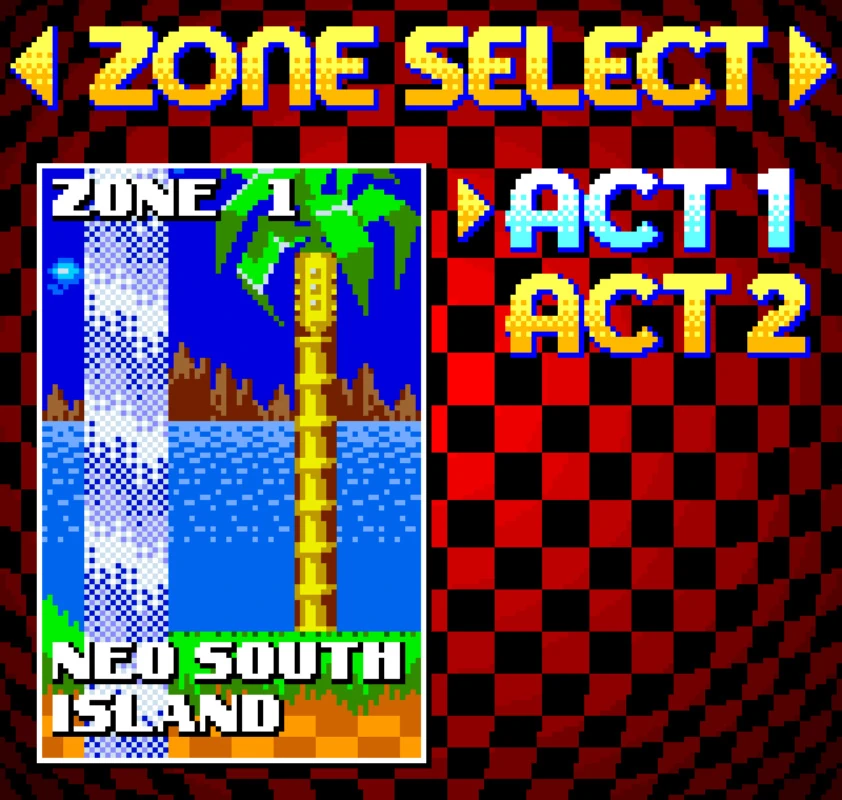
Stage selection from Sonic the Hedgehog Pocket Adventure.
| This section requires an expansion. | |
Sonic Adventure 2
| This section requires an expansion. | |
In Sonic Adventure 2, Sonic Adventure 2: Battle and its 2012 remaster, the Stage Select appears as a regular menu option under 1P Play. Here the player can replay all single stages they have completed in Story Mode as well as visit the Chao World directly. Each stage has five missions, with the 1st mission being identical to the one played in Story Mode. The 2nd Mission is unlocked by default and each subsequent mission of that stage is unlocked by completing the previous mission.
In Story Mode, once the player has completed a story for the first time and chooses to replays it, they can choose to start from certain scenes instead of just the beginning.
Sonic Advance
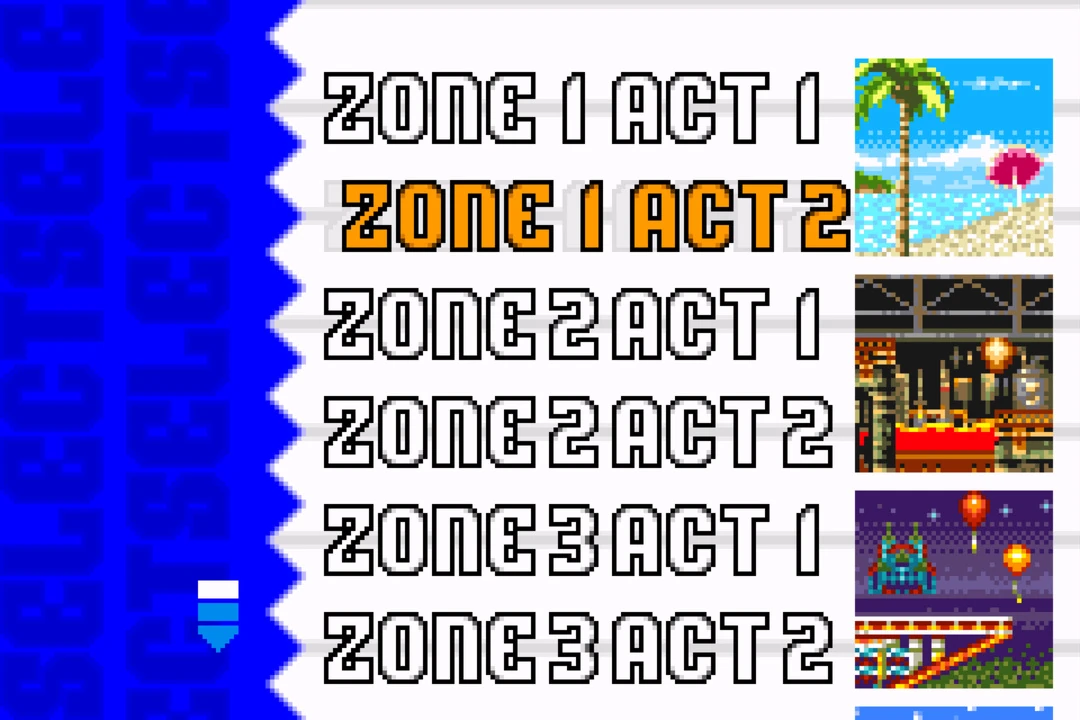
The stage selection menu from Sonic Advance.
The stage select is displayed upon starting a playthrough with a character once the player has cleared at least Neo Green Hill Zone Act 2 with that character. From then on, the remaining stages will be listed in that character's stage select once the player has cleared that stage for the first time with that character.
| This section requires an expansion. | |
Sonic Advance 2
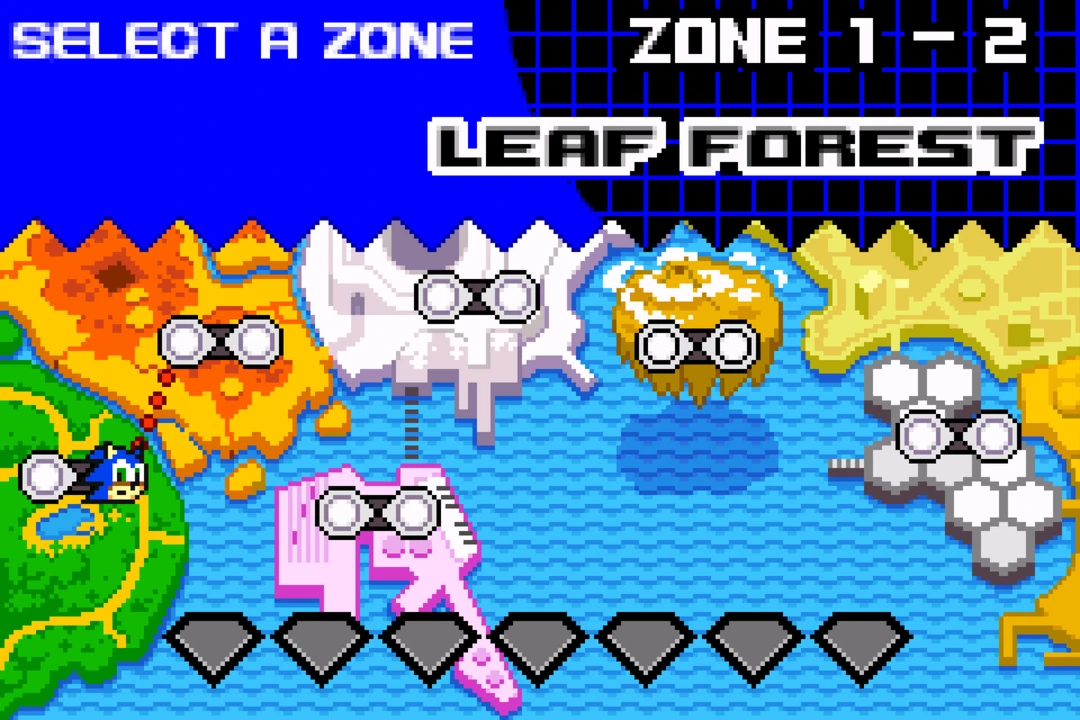
The stage selection from Sonic Advance 2.
| This section requires an expansion. | |
The Zone Map allows the player to select Acts to start gameplay from in a similar manner to Sonic Advance. The player can only access the Zone Map with a character after clearing Leaf Forest Act 2 with that character in gameplay. Here the player uses  to move the character's icon to choose their desired starting act. Accessing the Zone Map is the only method for Sonic to play through True Area 53 (after fufilling the other requirements).
Sonic Heroes
| This section requires an expansion. | |
In Sonic Heroes, two different stage select menus exist in the Story Mode or Challenge Mode. In Story Mode, the stage select is available for the chosen team once the player has completed that team's story for the first time. Here, the player can choose any odd-numbered stage (e.g. Seaside Hill, Grand Metropolis, Casino Park) to start the story from in a similar vein to Sonic Adventure 2.
In Challenge Mode, the player can choose to replay any single Stage (both regular-numbered stages and boss stages) with any team once they are completed in Story Mode for the first time (with the exception of Sea Gate as Team Rose). The player can move the  up and down to cycle through the stages and move left/right to cycle through the teams. When selecting one of the 14 regular stages, each of them has two different missions the player can choose from:
- The mission on the left is the normal mission which is identical to the mission played in Story Mode.
- The mission on the right are Extra Missions which are only playable in Challenge Mode. These missions are different to their normal/Story Mode counterparts and varies depending on the team.
- Team Sonic has to reach the stage's Goal Ring within a given time limit.
- Team Dark has to defeat 100 enemies in the stage.
- Team Rose has to collect 200 Rings.
- Team Chaotix have similar Extra Missions to their normal/Story Mode counterparts, but have a variety of stricter requirements ranging from having to obtain more collectable objects (or different ones), completing the objective within a given time limit, or avoid getting detected by enemies.
Sonic Advance 3
| This section requires an expansion. | |
In Sonic Advance 3, instead of having a simple Stage Select menu, the player must now explore the Zone Map akin to Adventure Fields as their characters to find the Act Rings that will transport the player to the specified Act or stand under teleporters to play a Mini-Game or a Vs Boss Act. The player must return to the Factory Ring in order to switch Zones or characters.
Sonic Rush
| This section requires an expansion. | |
In Sonic Rush, the Stage Select menu navigation resembles that of Sonic Advance 2; the player can move Sonic or Blaze using the or by touching a Zone or a location of interest (for story progression) with the Nintendo DS stylus. Once the player selects a Zone by pressing  , the player can touch or use to cycle through the Zone list.
Shadow the Hedgehog
| This section requires an expansion. | |
Sonic Riders
| This section requires an expansion. | |
Sonic the Hedgehog (2006)
In Sonic the Hedgehog (2006), the Level Select is called the Act Trial. You can choose between Action Stages of each episode. Only stages and missions completed on that specific save will be available for selection.
| This section requires an expansion. | |
Sonic Rivals
| This section requires an expansion. | |
Sonic Rush Adventure
| This section requires an expansion. | |
Sonic Rivals 2
| This section requires an expansion. | |
Sonic Unleashed
| This section requires an expansion. | |
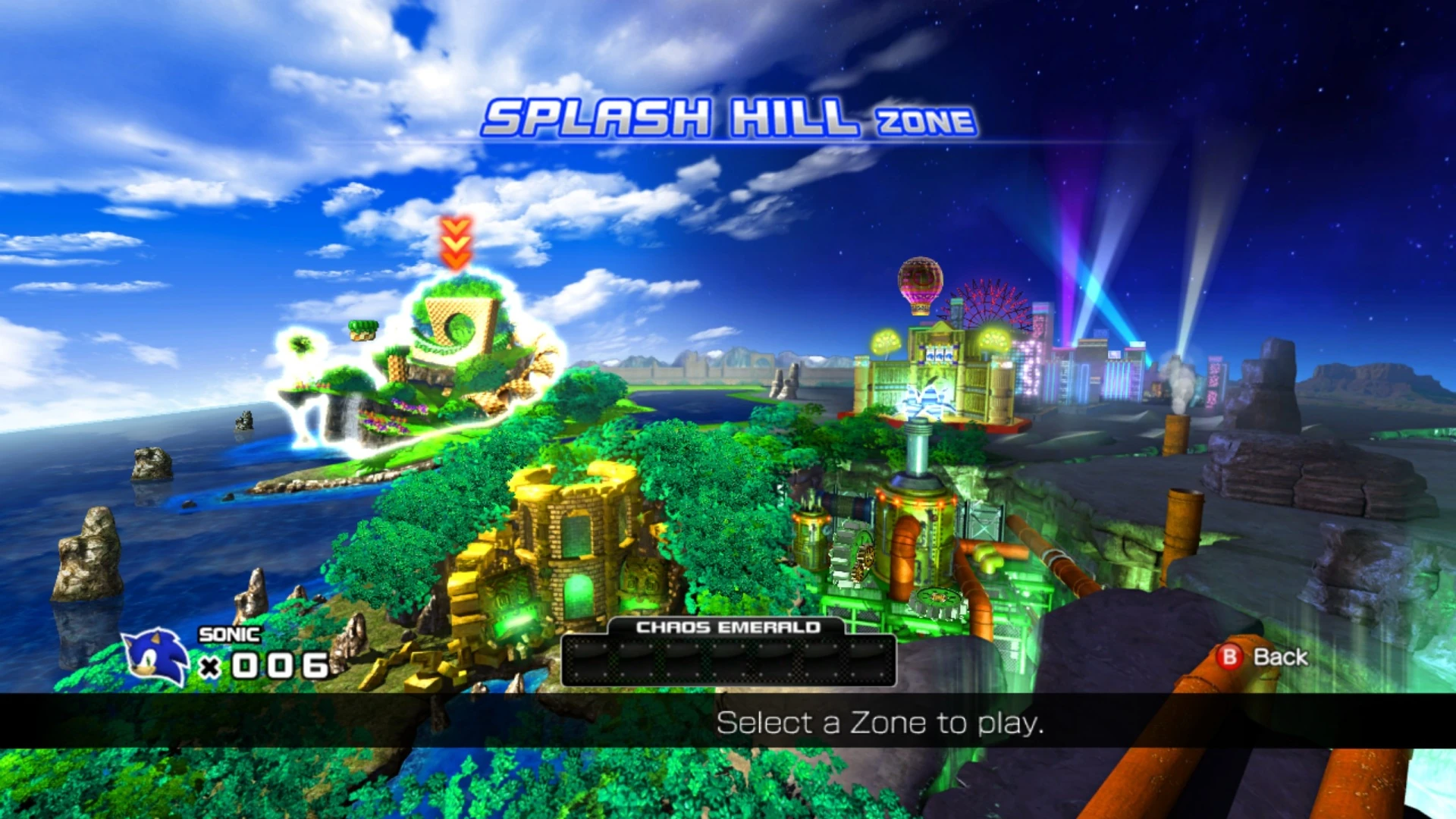
The stage select menu from Sonic the Hedgehog 4: Episode I.
Sonic the Hedgehog 4: Episode I
| This section requires an expansion. | |
Sonic Colors
| This section requires an expansion. | |
Sonic Generations
| This section requires an expansion. | |
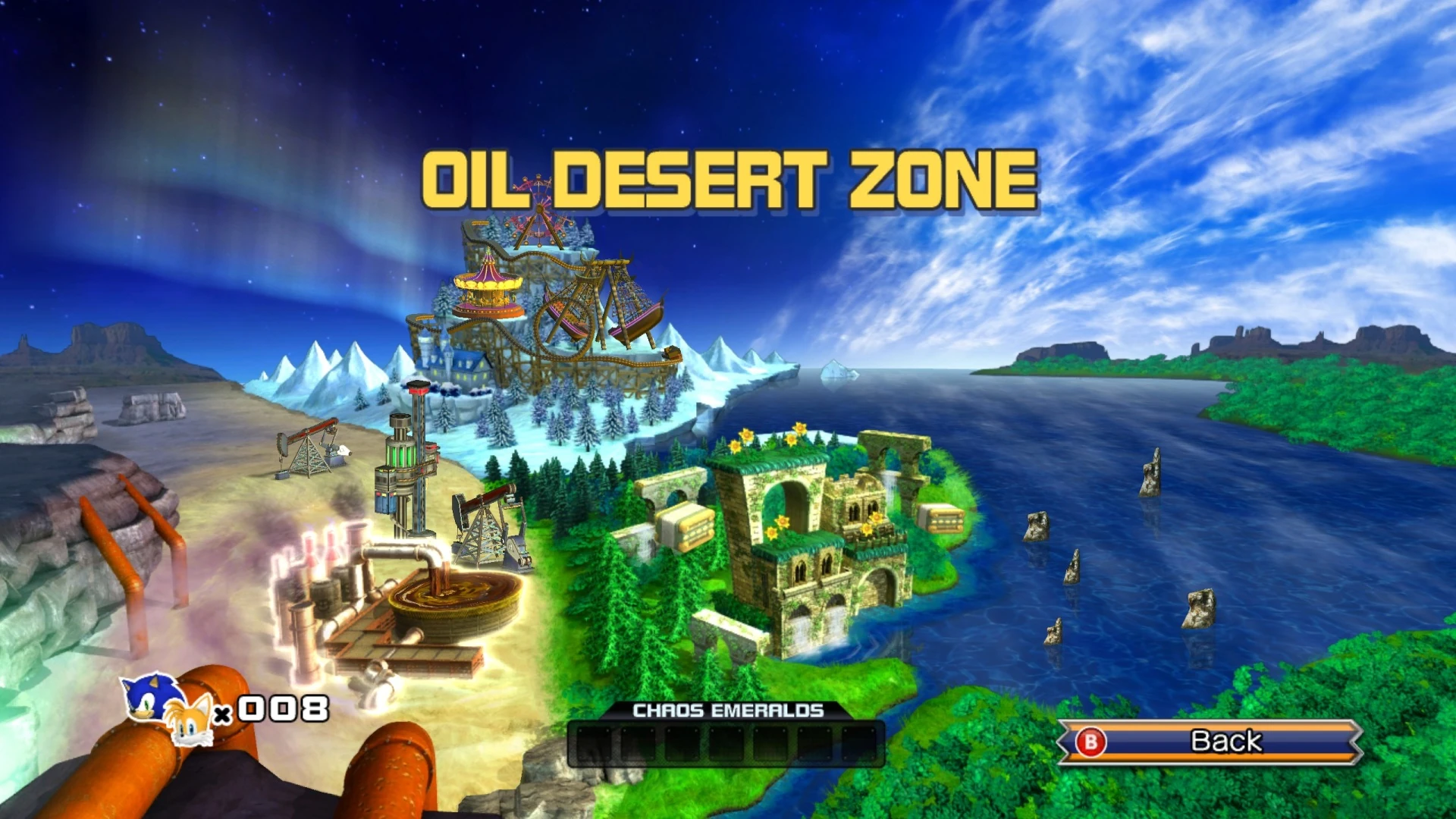
The stage select menu from Sonic the Hedgehog 4: Episode II.
Sonic the Hedgehog 4: Episode II
| This section requires an expansion. | |
Sonic the Hedgehog 4: Episode Metal
| This section requires an expansion. | |
Sonic Lost World
| This section requires an expansion. | |
Sonic Mania
In Sonic Mania and its expansion Sonic Mania Plus, the Level Select reuses the same menu design for its Level Select from Sonic the Hedgehog 2, except the word "Miles" is replaced with "Mania". While a Zone is highlighted, the emblem at the bottom right displays an artwork of the said Zone and while the Sound Test is highlighted, the emblem displays artwork of Sonic, Tails, Knuckles, Mighty or Ray with headphones on depending on which character the player is playing as.
To access Level Select in Sonic Mania, the player has to enter Mania Mode, go to the "Game Options" menu and turn Debug Mode on. Then the player must highlight "No Save" on the save select menu and execute the following commands to enter Level Select:
| PS4 | Xbox One | Switch | PC |
|---|---|---|---|
| Hold + OPTIONS
|
Hold + Menu
|
Hold + +
|
Hold [Q] + [A] |
In Level Select, the player must use /analog stick/arrow keys to select a Zone and Act. Press ///[Q] to select a character, press  /
/ /
/ /[W] when Sonic is chosen as the playable character to have Tails follow him, and press
  /
/ /
/ /[A] to play the selected Zone/Sound Test entry.
Originally, there was another method for accessing Level Select, but it was removed as of Version 1.03 (for consoles) of the game. This method involved going to the title screen where the player had to then press and hold the following button combinations before the "Press Any Button" subtitle appeared:
| PS4 | Xbox One | Switch | PC |
|---|---|---|---|
| +
|
+
|
 + +
|
+ [Q] |
Once "Press Any Button" appeared on-screen, the player then had to keep the above buttons held down and then press any other button.
To unlock Debug Mode in Version 1.04/RC 1.05.0713, on the title screen, press Up, Up, Down, Down, Up, Up, Up, Up, when Sonic first appears, but before he starts wagging his finger. This is a tight one-second window which resembles the method of accessing Level Select in the original Sonic the Hedgehog 3. When done correctly, a ring chime will play.
Sonic Forces
| This section requires an expansion. | |
Team Sonic Racing
| This section requires an expansion. | |
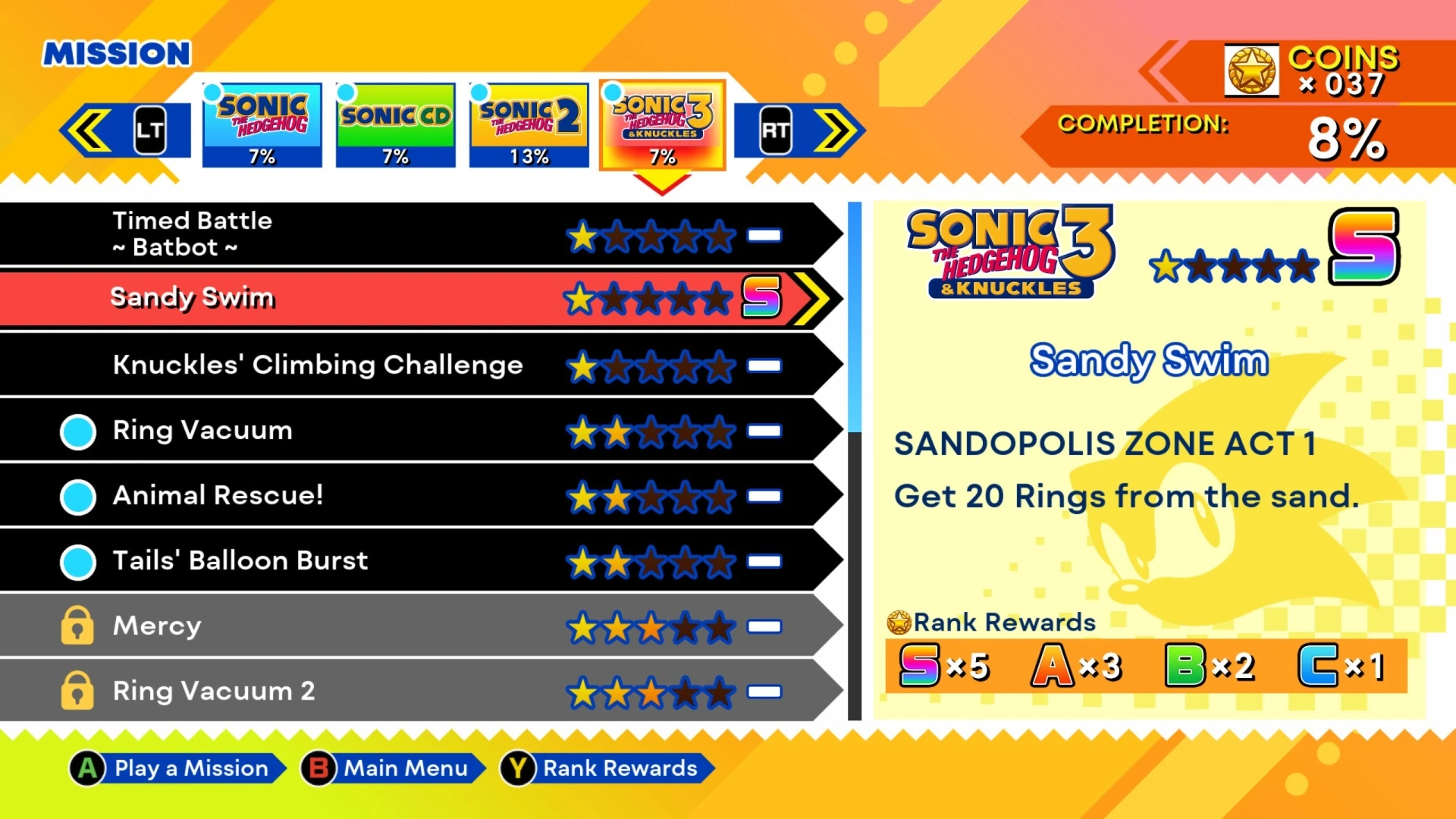
The stage select menu from Sonic Origins.
Sonic Origins
In Sonic Origins and its expansion Sonic Origins Plus, the Level Select menu can be accessed for Sonic the Hedgehog (16-bit), Sonic the Hedgehog 2 (16-bit) and Sonic 3 & Knuckles. The methods for accessing the Level Select in the respective games and their controls are as follows:
- Sonic the Hedgehog: At the title screen, press . A Ring will then sound to confirm the code. After that, press / to display the Level Select menu.
- Sonic 2: At the title screen, press . A Ring chime will then sound to confirm the code. After that, press / to display the Level Select menu.
- Sonic 3 & Knuckles: At the title screen, press . A Ring will then sound to confirm the code. After that, press any button to display the Level Select menu. Additionally, by pressing once, or twice, a Sound Test option will appear on the title screen. The following commands for this game's Level Select are as follows:
- Select level: Use /arrow keys.
- Select character: Press //.
- To have Tails follow Sonic/Amy if the latter is selected: Press //.
- Play chosen Zone/Sound Test track: Press //.
- Select level: Use
Sonic Frontiers
| This section requires an expansion. | |
Sonic Superstars
In Sonic Superstars, the Stage Select can be accessed via the Debug Menu. The player can play any stage (besides Fruit Acts) with any character, although playing character-specific Acts will still force the intended character to play through it.
Sonic Dream Team
| This section requires an expansion. | |
Shadow Generations

The stage select menu from Shadow Generations.
| This section requires an expansion. | |
Sonic Racing: CrossWorlds
| This section requires an expansion. | |
Trivia
- The code to access the Act Select in Sonic the Hedgehog 2 (19, 65, 09, 17) references Yuji Naka's date of birth (17 September 1965).
- In Sonic Mania, Egg Reverie Zone erroneously uses the Death Egg Zone icon from Sonic the Hedgehog 2 when highlighted in the Level Select.
- In Sonic Mania, entering the Level Select while the No Save is highlighted as Sonic and Tails will make the game think that the player entered it with Knuckles.
Gallery
Screenshots
| Gallery |
|---|
 Sonic the Hedgehog (16-bit) (prototype)  Simon Wai and 1992-08-21 alpha prototypes of Sonic the Hedgehog 2  Sonic the Hedgehog 2 (pre-beta and beta 4)  Sonic the Hedgehog CD (v0.02)  Sonic the Hedgehog CD ("510" - v0.70)  Sonic Chaos (SMS)  Sonic Chaos (GG)  Tails Adventure (debug)  Sonic Blast (SMS)  Sonic Blast (GG)  Sonic Blast ("611" - "827")  Sonic Origins release of Sonic 3 & Knuckles |


References
- ↑ Kuchera, Ben (3 October 2017). Why physically hitting Sonic 3D Blast unlocks a secret menu. Polygon. Retrieved on 23 November 2017.